Enter Dose of Peptide
Enter the amount from your existing instructions. Choose mg or mcg. The calculator does not choose this amount for you.

Enter the amount, vial strength, final solution volume and syringe details. Peptide Metrix calculates concentration, liquid volume and the selected syringe-scale equivalent without choosing a dose.
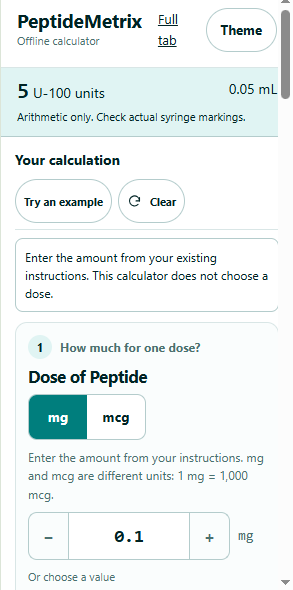
Install the extension through the Chrome Web Store.
Use the Add to Chrome button on this page to open the Peptide Metrix listing.
Chrome will show the extension name and any permissions requested by the published package.
Review the Chrome confirmation dialog and install only if the displayed extension and permissions match what you expect.
Select Chrome's Extensions icon, find Peptide Metrix and use the pin control if you want the calculator visible in the toolbar.
The extension uses the same basic inputs as the Peptide Metrix web calculator.
Enter the amount from your existing instructions. Choose mg or mcg. The calculator does not choose this amount for you.
Enter the total amount shown on the vial label in milligrams.
Enter the water or final mixed volume in mL. If water added and final volume differ, use the final solution volume.
Select U-100, U-40, U-500 or mL and match the capacity to the markings printed on the actual device.
Review concentration, liquid volume, selected-scale equivalent and any capacity warning. Recheck every input before relying on the arithmetic.
Select Full tab in the extension to open the larger layout. The calculation values carry between the compact and full views on the current browser profile.
Peptide Metrix converts mass and volume. It does not determine a treatment plan, solvent, preparation method or recommended amount.
vial mg × 1,000 ÷ final volume mLResult: mcg/mLentered mcg ÷ concentration mcg/mLResult: mLvolume mL × selected markings per mLU-100 ×100, U-40 ×40, U-500 ×500The Chrome extension performs its calculator arithmetic locally. It does not send calculation inputs to the Peptide Metrix website for calculation.
If you choose to remember a calculation, values may be saved locally on the current device or browser profile. Use the extension's clear controls or browser data controls when you no longer want the saved values retained locally.
Read the full Privacy Policy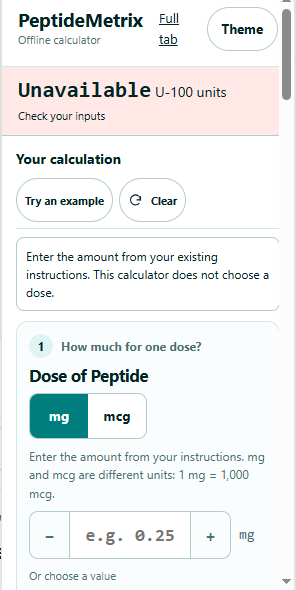
No. You enter the amount you want calculated. The extension performs arithmetic from the values you provide and does not choose or recommend a dose.
Yes. The extension performs its calculator arithmetic locally using code packaged with the extension.
The calculator supports U-100, U-40, U-500 and mL-based results. Select the scale that matches the markings on the actual syringe or device you are using.
Yes. The Dose of Peptide input supports mg and mcg. One milligram equals 1,000 micrograms.
No. The extension performs its calculator arithmetic locally and does not send calculation inputs to the Peptide Metrix website for calculation.
The Full tab view opens a larger extension layout when you want more room than the toolbar popup. The same calculator inputs and arithmetic are used.
Use the web calculator, or install the Chrome extension from the official Chrome Web Store listing.